
Summary
The Consumer Financial Protection Bureau (CFPB) login serves as a vital tool for individuals seeking to resolve disputes with financial institutions regarding credit reporting, debt collection, and banking misconduct. To utilize the portal effectively, consumers must first organize personal details and gather supporting documentation, such as account numbers and correspondence. The CFPB maintains two distinct systems: the Consumer Complaint Portal for public use and the Company Portal restricted to financial entities. Users can create a verified account to submit detailed complaints, which are typically forwarded to the relevant company within twenty-four hours for a mandatory response within fifteen days. The digital dashboard enables real-time tracking of submission statuses, including "In Progress" or "Closed." While the portal facilitates direct communication and records building, it does not replace legal representation. For persistent violations of federal consumer protection laws like the FCRA or FDCPA, professional legal assistance may be required to enforce rights and secure resolutions. This guide simplifies the technical login process, ensuring consumers can navigate federal systems to hold companies accountable for unfair financial practices.
The Consumer Financial Protection Bureau login gives you direct access to file complaints, track submissions, and hold financial institutions accountable for unfair practices. Whether you’re dealing with a debt collector that won’t stop calling, a credit report error that’s dragging down your score, or a bank that mishandled your account, the CFPB portal is often your first step toward resolution.
At Ginsburg Law Group, we represent consumers in disputes involving credit reporting violations (FCRA), abusive debt collection (FDCPA), and other financial misconduct. Many of our clients have already filed CFPB complaints before reaching out, or need guidance on whether filing makes sense for their situation. Understanding how to navigate these portals can strengthen your position, whether you’re handling the matter yourself or building a record for potential legal action.
This guide walks you through the different CFPB login portals, explains who uses each one, and shows you exactly how to access your account or create a new one. Let’s get you logged in.
What you need before you log in
You’ll need a few basic pieces of information ready before you can complete the consumer financial protection bureau login process and file your complaint. Having these details organized saves time and prevents you from losing progress mid-submission. The CFPB system requires specific documentation to process your case effectively, and incomplete complaints often get delayed or result in weaker responses from the company involved.
Personal information and account details
Start by gathering your full legal name, address, and contact information (phone and email). You’ll also need your account number or loan number tied to the disputed transaction or issue. If you’re filing about a credit card problem, have the last four digits of that card ready. For mortgage or auto loan disputes, locate your loan account number from a recent statement or payment confirmation.
The CFPB requires accurate account identifiers to route your complaint to the correct department within the financial institution.
Documentation of your issue
Collect any correspondence from the company (letters, emails, or text messages) that relate to your complaint. Note the dates of key events, such as when you first contacted the company, when the problem started, or when you noticed the error. If you have transaction records, billing statements, or screenshots, save those as PDFs or image files. The portal allows you to upload supporting documents during submission, and stronger evidence typically leads to faster resolutions. You don’t need a lawyer to file, but organizing your timeline and proof makes your case more credible when the company responds.
Step 1. Choose the right CFPB portal
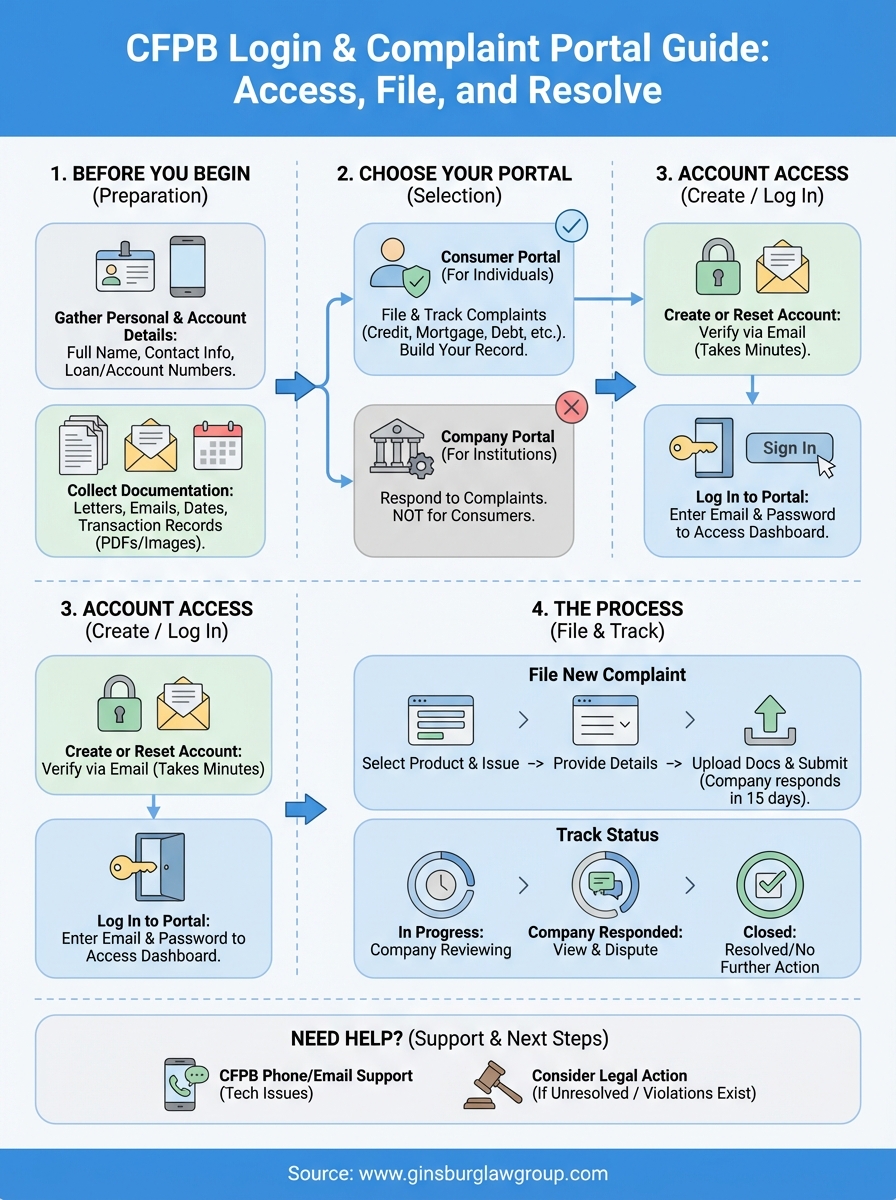
The CFPB operates two separate login systems, and choosing the wrong one will prevent you from accessing your account or filing your complaint. The Consumer Complaint Portal is designed for individuals filing complaints against financial companies, while the Company Portal serves financial institutions responding to complaints. Most consumers need the first option, but understanding the difference saves time.
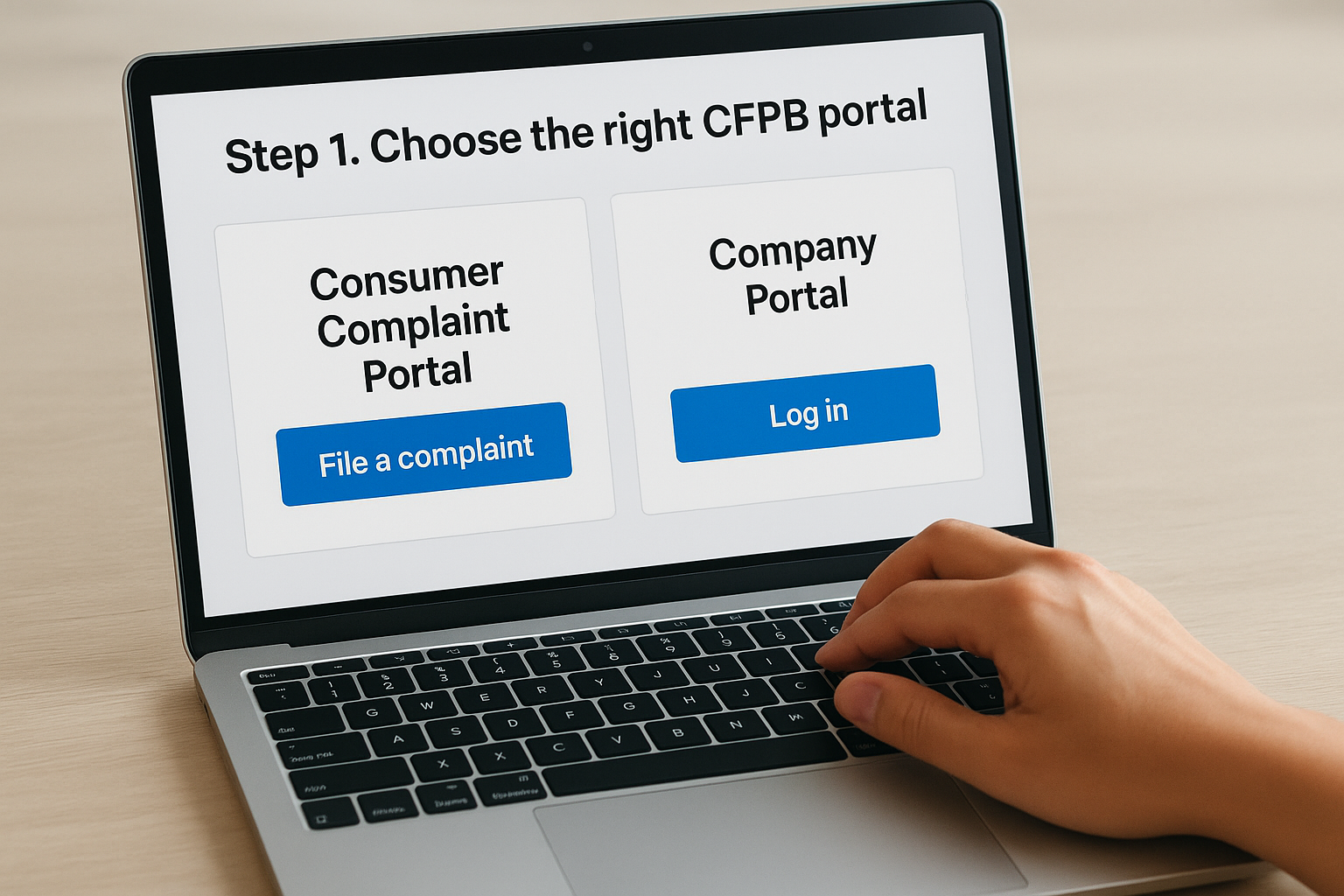
Consumer Complaint Portal (for individuals)
You’ll use the Consumer Complaint Portal if you’re filing a complaint about a credit card, mortgage, debt collector, credit bureau, bank account, or other financial product. This portal lets you submit new complaints, track existing cases, and view responses from companies. Access the consumer financial protection bureau login through the CFPB’s main website by clicking “Submit a complaint” or “Check status.”
This is the portal where you build your complaint record and communicate directly with the company through the CFPB’s system.
Company Portal (for financial institutions)
The Company Portal is restricted to employees of financial institutions, regulatory agencies, and service providers authorized to respond to CFPB complaints. If you’re an individual consumer, you cannot access this portal. Financial institutions use this system to receive complaint notifications, submit responses, and manage their regulatory reporting obligations to the CFPB.
Step 2. Create an account or reset your password
Creating your account takes less than five minutes, and you only need to do it once. The CFPB Consumer Complaint Portal requires a verified email address and password before you can submit or track any complaint. If you already have an account but can’t remember your password, the reset process is straightforward and doesn’t require contacting support.
Creating a new account
Navigate to the CFPB website and click “Submit a complaint” to reach the consumer financial protection bureau login page. Select “Create an account” and enter your email address, then create a password that meets the system requirements (at least 8 characters with a mix of letters and numbers). You’ll receive a verification email within a few minutes. Click the link in that email to activate your account, then return to the portal to log in.
Resetting a forgotten password
Click “Forgot password” on the login screen and enter the email address associated with your account. The CFPB will send a password reset link to that email address within minutes. Open the email, click the reset link, and create a new password following the same requirements as account creation.
Keep your login credentials saved in a secure location, as you’ll need them to check complaint status updates after submission.
Step 3. Log in to submit or track a complaint
Once you’ve created your account, return to the Consumer Complaint Portal and enter your email and password on the consumer financial protection bureau login screen. Click “Sign in” to access your dashboard, where you can start a new complaint or check the status of existing submissions. The portal automatically saves your progress if you need to step away during the complaint form, so you won’t lose any information you’ve already entered.
Filing a new complaint
Click “Submit a complaint” from your dashboard to begin the complaint form. Select the financial product or service that caused your issue (credit card, mortgage, debt collection, etc.), then choose the specific problem from the dropdown menu. Fill out each required field with details about what happened, when it occurred, and what resolution you’re seeking. You’ll upload supporting documents in the final section before submitting.
The CFPB forwards your complaint to the company within 24 hours, and they must respond within 15 days.
Checking complaint status
Navigate to “My Complaints” on your dashboard to view all submissions. Each complaint displays its current status and any actions you need to take. You’ll receive email notifications when the company responds or when the CFPB needs additional information from you. The system shows one of these status indicators:
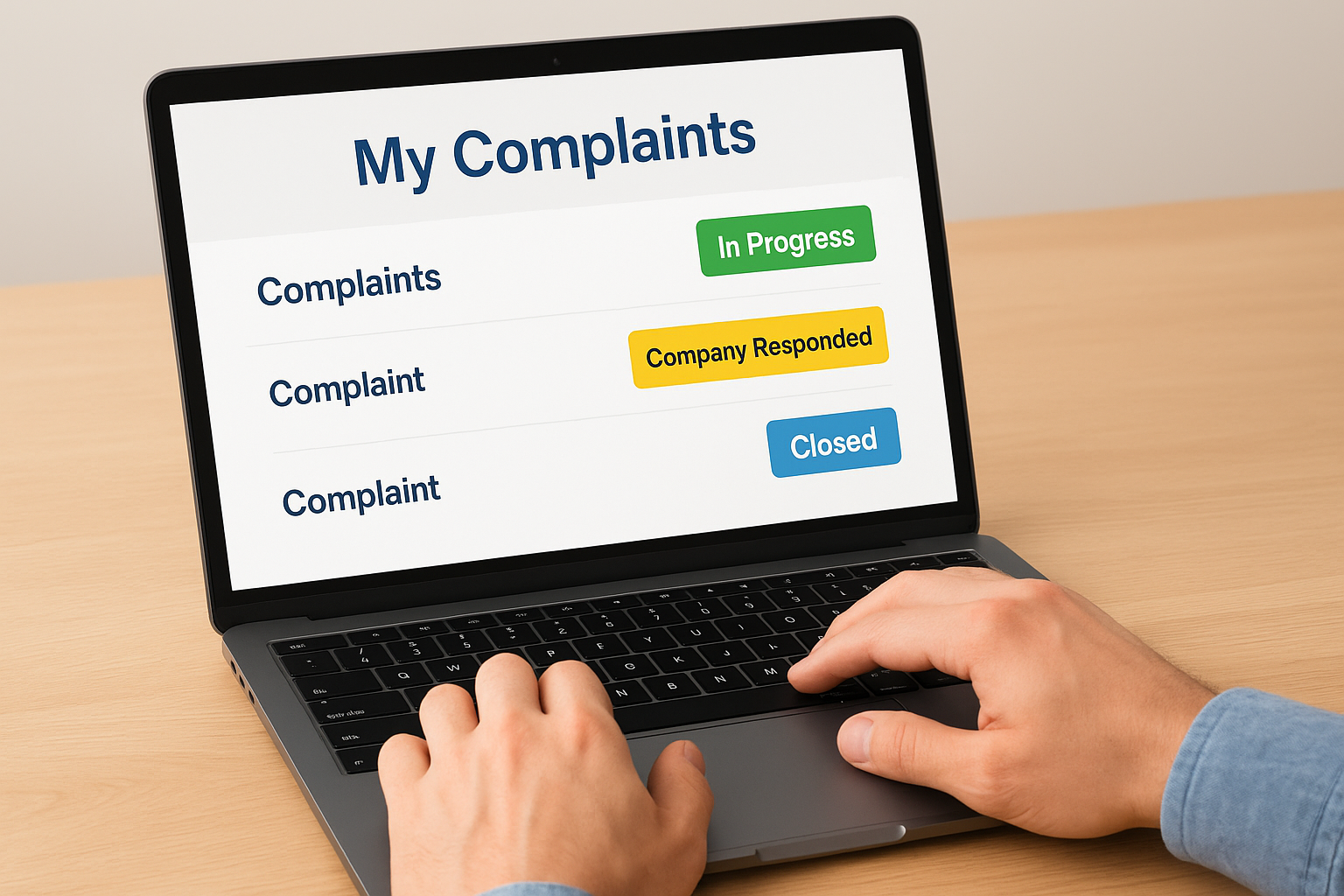
- In Progress: The company is reviewing your complaint
- Company Responded: You can view their response and dispute if needed
- Closed: The complaint has been resolved or requires no further action
Step 4. Access the Company Portal and other logins
Most consumers will never need access beyond the Consumer Complaint Portal, but understanding the other CFPB login systems helps clarify where your complaint goes and who responds to it. Financial institutions and regulatory agencies use separate portals that require authorization and credentials tied to their organization. If you’re an individual consumer trying to access these systems, you’ll encounter login restrictions because they’re not designed for public use.
Company Portal for financial institutions
Financial institutions access the Company Portal through a dedicated URL that requires pre-registered corporate credentials. Banks, credit unions, debt collectors, and other regulated entities receive login information directly from the CFPB after completing their registration process. This portal displays all complaints filed against the institution, allows authorized staff to submit official responses, and tracks regulatory compliance metrics. You cannot create a consumer financial protection bureau login for this portal as an individual, as it requires employer verification and authorization codes tied to the company’s CFPB registration number.
Financial institutions must respond to complaints through this portal within 15 days of receipt, and their responses become part of your complaint record in the Consumer Portal.
Other specialized CFPB systems
The CFPB also operates internal systems for regulatory examiners and law enforcement, but these require government-issued credentials and security clearances. Consumers never access these portals directly, as they contain confidential supervisory information and enforcement case files.
Next steps if you get stuck
Technical issues with the consumer financial protection bureau login system are rare, but the CFPB offers phone support at 855-411-2372 if you can’t access your account or the portal displays an error message. Representatives can walk you through login problems, password resets, and complaint submission issues during business hours. You can also email the CFPB directly through their contact form if you prefer written communication.
Filing a complaint doesn’t guarantee resolution, especially if the company has violated federal consumer protection laws like the FDCPA or FCRA. Many of our clients discover through the complaint process that they need legal representation to hold financial institutions accountable. Ginsburg Law Group handles consumer rights cases at no upfront cost when fee-shifting statutes apply. Contact us for a free case evaluation if your CFPB complaint didn’t produce results or if you’re dealing with ongoing violations that require enforcement action.